Color Converter
Type a color in HEX, RGB or HSL form and see it converted to the other formats with a preview swatch.
How it works and known limits
Supported formats
The converter accepts six-digit and three-digit HEX with or without a leading hash, RGB in the form rgb(255, 0, 0), and HSL in the form hsl(0, 100%, 50%). Whitespace is tolerated and channel values are clamped to their valid ranges.
How conversion works
All input formats are parsed into RGB channels first, then converted to HSL using the standard cylindrical transformation. HEX output is always six digits so the value is unambiguous. Rounding can cause a value to shift by one when converting a color in a full circle.
Known limits
Alpha channels are not supported; the tool works with opaque colors only. It also does not handle newer CSS color spaces such as LAB, LCH or OKLCH, which need a different conversion model.
How to convert colors between HEX, RGB and HSL (with screenshots)
Type a color in HEX, RGB or HSL notation and see the other formats plus a live swatch.
Open the Color Converter
Open the Color Converter page. The color value is where your work begins; the result appears on the right.
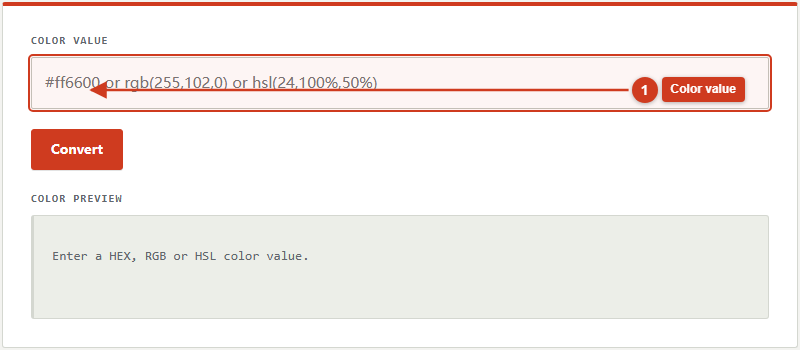
Enter your input
Enter a color as a HEX value such as #cf3b1f, or as rgb(...) or hsl(...).
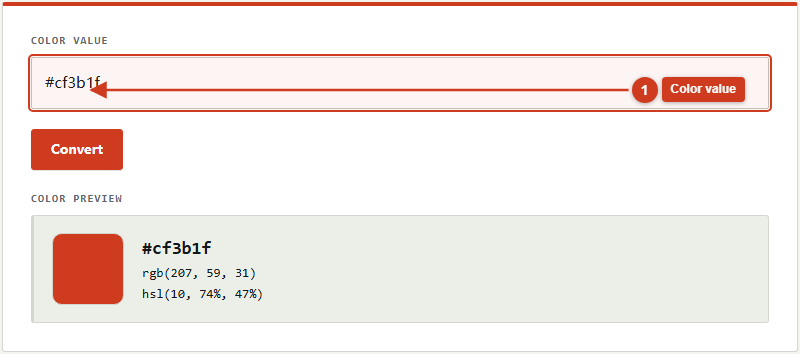
Read the result
The result shows a color swatch together with the HEX, RGB and HSL values, updating as you type.
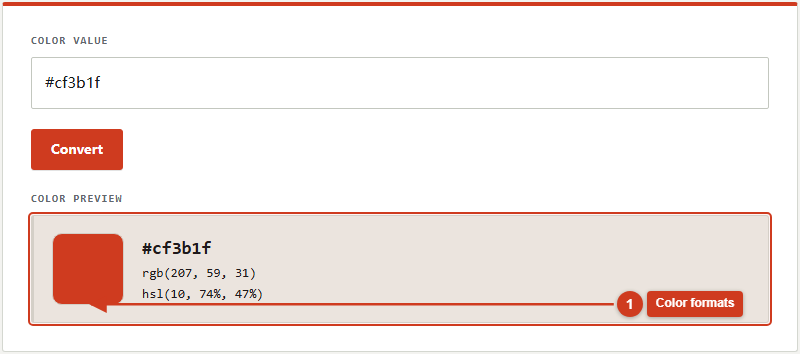
Tip: Three-digit HEX shorthand like #c31 is accepted and expanded to six digits automatically.
Frequently asked questions
Which color formats can I enter?
HEX, RGB and HSL in their common CSS notation.
Does it support transparency?
No. Only opaque colors are handled.
Why does HSL round differently?
Channel values are integers, so a round trip through HEX can shift a value by one.
Is anything uploaded?
No. All conversion happens locally in your browser.
Page last reviewed: