Timezone Converter
Enter a date and time in one timezone and read the corresponding time in another, with daylight saving handled automatically.
How it works and known limits
How conversion works
The tool uses the Intl API and the timezone database built into your browser. It treats the entered time as local wall-clock time in the source zone, converts it to a UTC instant, then formats that instant in the target zone. This means daylight saving transitions are applied using your browser current rules.
Reading the result
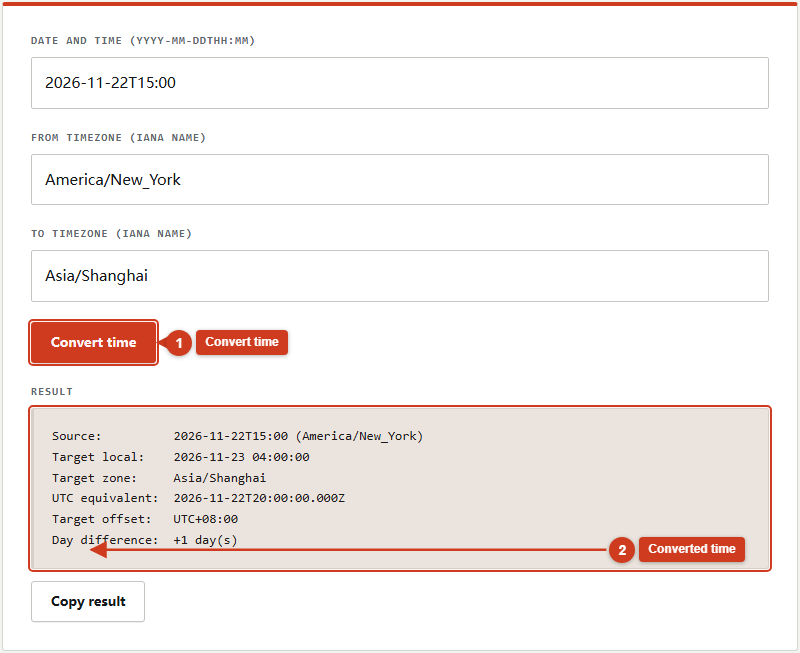
The output shows the converted local time, the UTC offset for each zone, the weekday and the day difference from the source. A positive or negative day difference tells you immediately whether the target is on the next or previous calendar day.
Known limits
Historical timezone rules vary by browser implementation and are most reliable for current and future dates. Ambiguous times during a daylight saving fall-back, when an hour repeats, are resolved by the browser convention and may need manual checking for critical scheduling.
How to convert time between timezones (with screenshots)
Convert a local time from one IANA timezone to another, with daylight saving handled by your browser.
Open the Timezone Converter
Open the Timezone Converter page. The date and time is where your work begins; the result appears on the right.
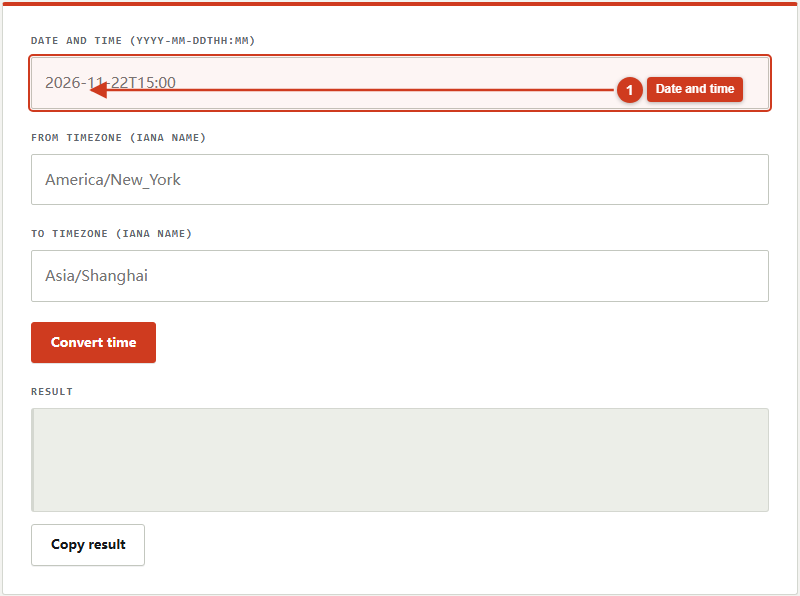
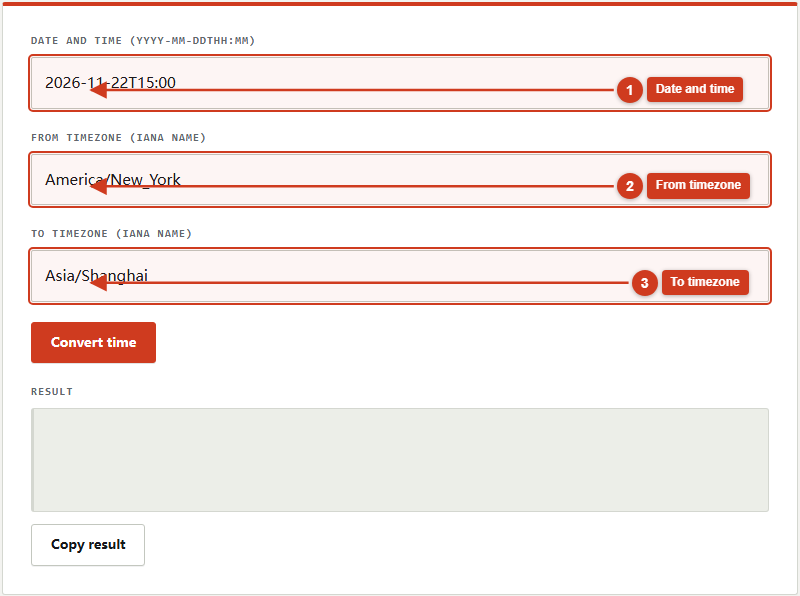
Enter your input
Enter a date and time in YYYY-MM-DDTHH:mm format. Enter the source IANA timezone name. Enter the target IANA timezone name.
Run the tool
Click Convert time to calculate the target time. The result shows the converted local time, both UTC offsets, the weekday and the day difference from the source.
Tip: Use city-based IANA names such as Europe/London rather than abbreviations like PST, which are ambiguous.
Frequently asked questions
Does it handle daylight saving time?
Yes. Conversion uses the browser timezone database, so daylight saving rules are applied automatically.
Which timezones are available?
All IANA timezones supported by your browser, such as America/New_York and Asia/Shanghai.
Is the time uploaded?
No. All conversion runs locally with the Intl API.
Why might a historical date differ?
Older timezone rules depend on the browser database version, so results for distant past dates can vary.
Page last reviewed: