Meta Tag Generator
Fill in a few fields and get a complete set of head tags ready to paste into your HTML.
How it works and known limits
What the generator produces
It builds a standard block of head tags: character set, viewport, title, meta description, keywords, robots directive and canonical URL. It also emits Open Graph and Twitter Card tags so links look right when shared on social platforms.
Recommended lengths
Search engines usually truncate titles beyond about 60 characters and descriptions beyond about 155. The generator shows the character count for each so you can adjust before copying. These are guidelines, not hard limits.
Known limits
Generated tags are a starting point, not a full SEO solution. Structured data, sitemap entries and page content matter more than meta tags alone. Escape any quotes in your values before pasting, and remember that keywords meta tags carry little weight with modern search engines.
How to generate meta tags (with screenshots)
Build title, description, canonical, Open Graph and Twitter tags from a few simple fields.
Open the Meta Tag Generator
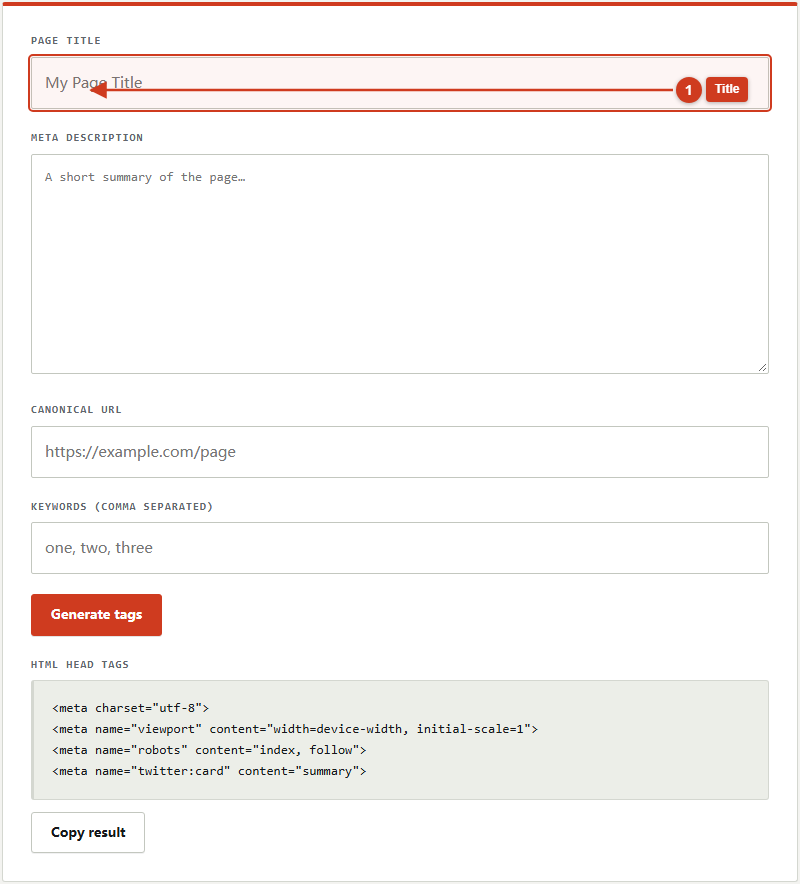
Open the Meta Tag Generator page. The title is where your work begins; the result appears on the right.
Enter your input
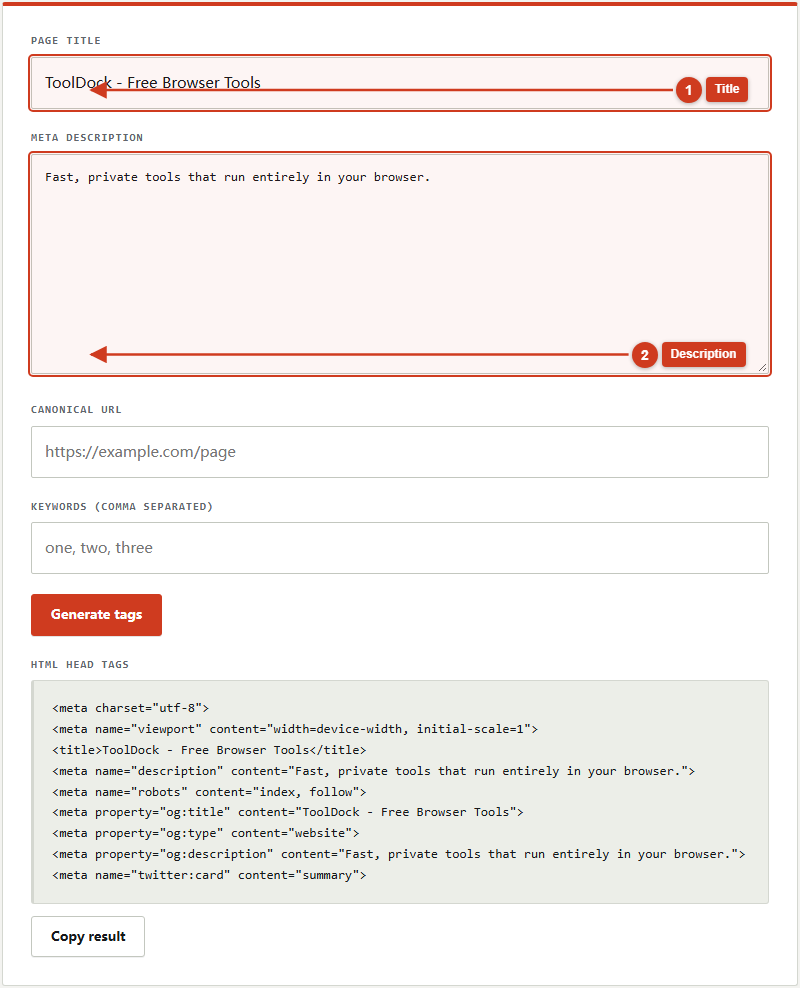
Enter the page title. Enter the meta description.
Set the options
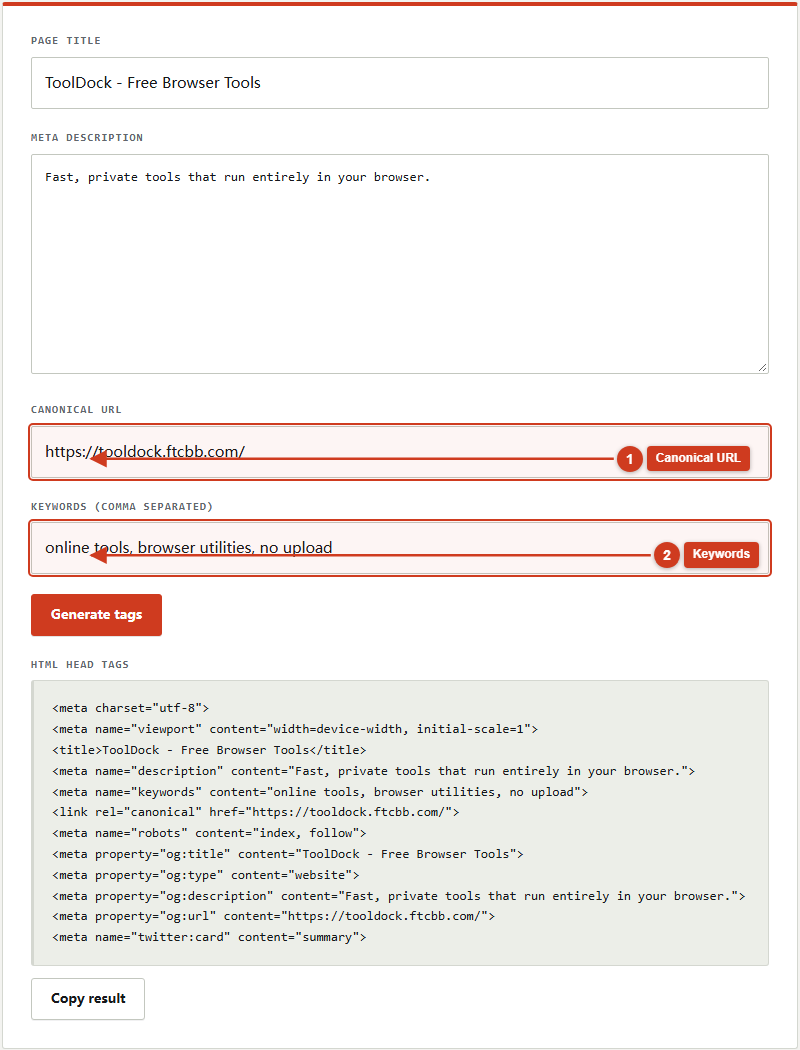
Enter the canonical URL for the page. Enter a few comma-separated keywords.
Read the result
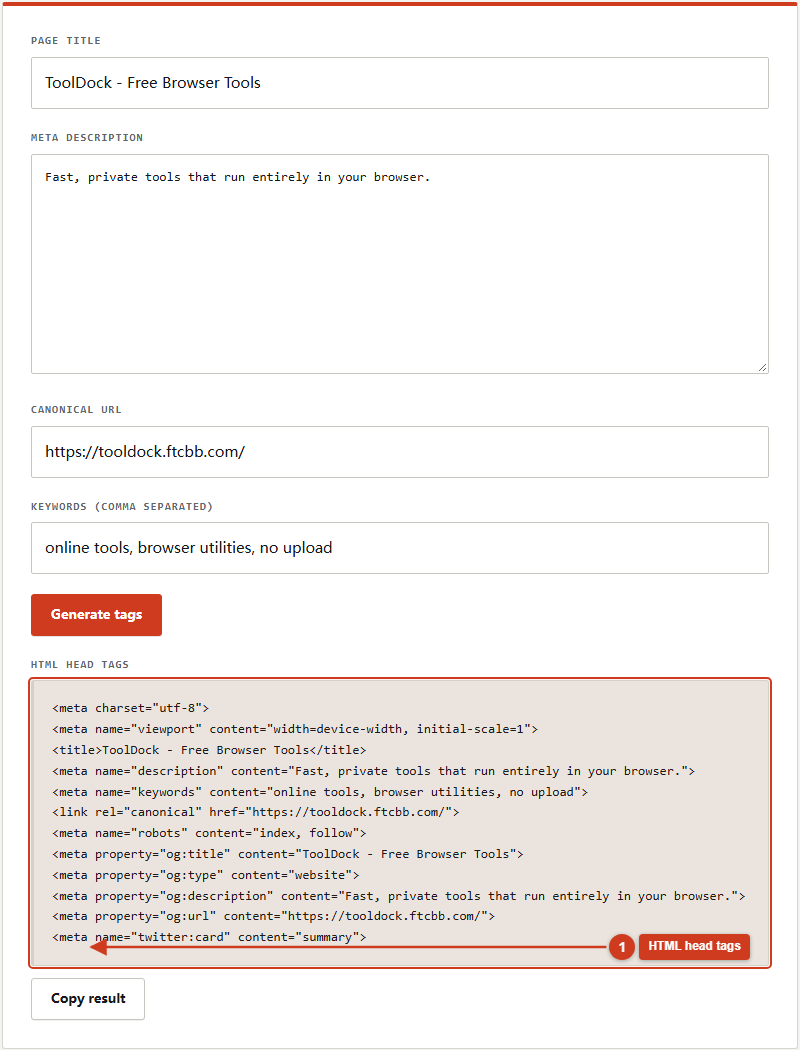
The complete head snippet is generated in the result box, ready to paste into your page template.
Tip: Search engines largely ignore the keywords meta tag; focus on a precise title and description.
Frequently asked questions
Which tags are included?
Title, description, keywords, viewport, charset, robots, canonical, Open Graph and Twitter Card tags.
How long should a meta description be?
Around 150 to 160 characters is a common guideline so it is not truncated in search results.
Do keywords meta tags help SEO?
Major search engines largely ignore them. Include them if you like, but focus on page content.
Is my information uploaded?
No. Tags are assembled locally in your browser.
Page last reviewed: